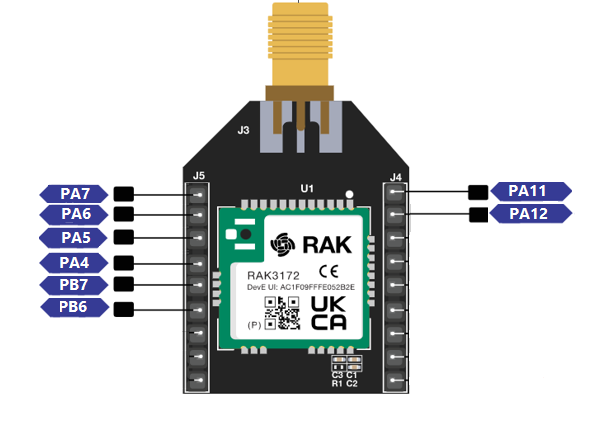
RAK3272S Digital I/O's
| Pin Name | J Connector pin |
|---|---|
PA4 | J5 pin 4 |
PA5 | J5 pin 3 |
PA6 | J5 pin 2 |
PA7 | J5 pin 1 |
PA8 | J4 pin 1 |
PA9 | J4 pin 2 |
PB6 | J5 pin 5 |
PB7 | J5 pin 6 |
void setup()
{
  pinMode(PA7, OUTPUT); //Change the P0_04 to any digital pin you want. Also, you can set this to INPUT or OUTPUT
}

void loop()
{
  digitalWrite(PA7,HIGH); //Change the PA0 to any digital pin you want. Also, you can set this to HIGH or LOW state.
  delay(1000); // delay for 1 second
  digitalWrite(PA7,LOW); //Change the PA0 to any digital pin you want. Also, you can set this to HIGH or LOW state.
  delay(1000); // delay for 1 second
}